

How to Build a Human Fallback for an E-commerce AI Assistant
E-commerce storefronts are one of the most popular use cases for AI assistants. A well-prompted large language model (LLM) can effortlessly handle routine inquiries like "Where is my order?" (WISMO), sizing chart questions, or basic product recommendations.
However, the e-commerce journey is full of high-stakes interactions. When a customer is dealing with a double charge, a damaged delivery, or a complex partial refund, an AI guessing its way through the store policy isn't just unhelpful—it's actively detrimental to customer retention.
To safely deploy AI in your storefront, you need a reliable escape hatch. Here is a step-by-step conceptual guide on how to architect a human-in-the-loop (HITL) fallback for your e-commerce bot.
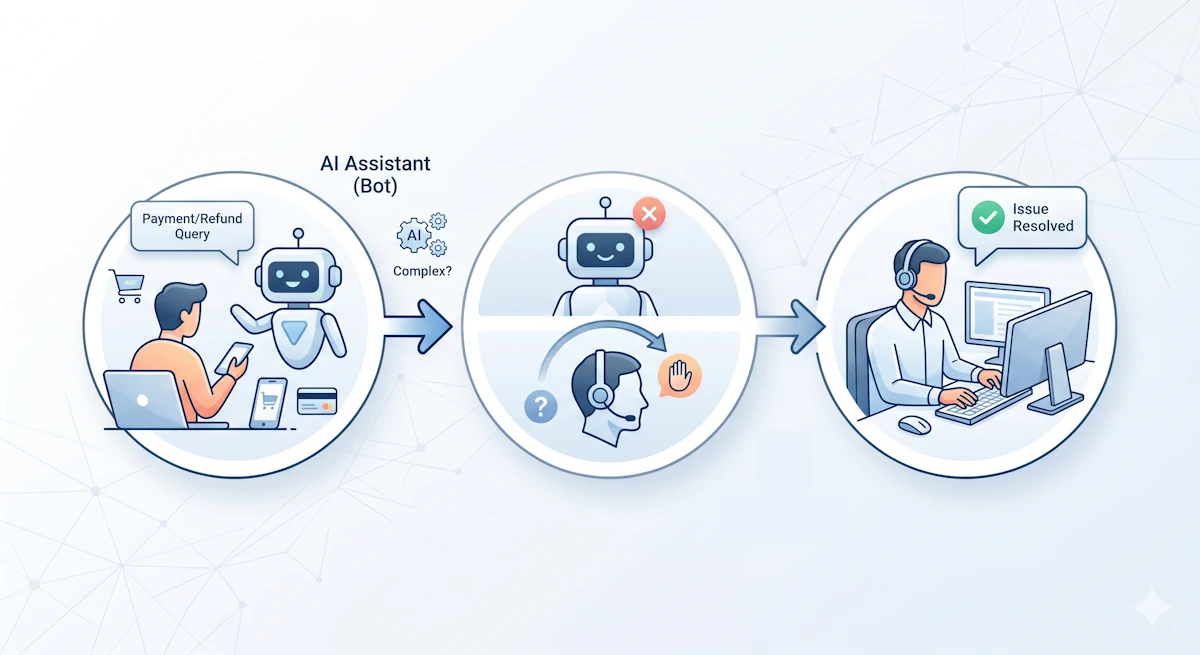
Step 1: Define Your Escalation Triggers
Before writing any code, you must define when the AI should stop talking and ask for help. In a modern agentic workflow, this shouldn't rely on a simple keyword match (like typing "agent"). Instead, you should rely on contextual triggers:
- Intent-Based Routing: Configure your AI to recognize high-risk intents. If the user asks about "fraud," "dispute," or "payment error," the AI should immediately flag the conversation.
- Sentiment Analysis: If the LLM detects rising frustration or negative sentiment over multiple turns, it should proactively offer to hand off the chat.
- Knowledge Gaps: If the AI queries your internal order API and receives an unexpected error or an edge-case status (e.g., "Shipment lost in transit"), it should escalate rather than fabricating an answer.
Step 2: Equip the AI with an Escalation Tool
In older chatbot architectures, a central proxy server had to constantly monitor the chat to decide when to route to a human. Today, you can simply give your AI agent an escalate_to_human tool (using standard function/tool calling features in models like Claude or OpenAI).
When the AI hits one of the triggers defined in Step 1, it autonomously calls this tool, passing along a generated summary of the issue (e.g., "Customer is requesting a refund for Order #12345 because the item arrived damaged").
Step 3: Freeze the Bot and Set Expectations
The moment the escalate_to_human tool is called, two things must happen instantly on the frontend:
- Halt AI Generation: The AI must immediately stop attempting to reply to further messages in that session.
- User Notification: The bot should send a polite, clear transition message: "I completely understand. Because this involves a payment dispute, I am pausing my responses and connecting you with a human support specialist who can process this for you right away."
Step 4: The Operator Handoff (The Missing Piece)
This is where most internal builds fail. The AI has paused, and an alert has been fired—but to whom?
If your human support team is forced to dig through database logs to find what the customer was talking about, the customer experience is already ruined. Your human operators need an immediate, context-rich dashboard.
When the escalation occurs, your operator console should immediately display:
- The complete transcript of the AI-customer conversation.
- The specific reason the AI escalated (the summary generated in Step 2).
- Relevant metadata (User ID, Order Number, Cart Contents).
The human operator can then seamlessly step into the chat, read the history in seconds, and say, "Hi there, I see you received a damaged item on order #12345. Let me process that refund for you." No repeating questions, no friction.
Step 5: Resolution
Once the human agent resolves the billing issue or processes the complex refund, they need a way to close the ticket. Depending on your workflow, the operator can either fully close the chat or click a button to re-engage the AI, allowing the bot to take over again for closing pleasantries or further shopping assistance.
Skip the Infrastructure Build with AwaitHuman
Building the backend routing for an AI fallback is challenging; building the frontend operational console for your human team to actually manage these handoffs takes months of dedicated engineering.
That's where AwaitHuman comes in. As an Escalation-as-a-Service platform, we provide the plug-and-play components you need for your AI agent to hand off control smoothly, alongside a beautifully designed, full-featured UI for your support team to catch the escalations.
You focus on building a great e-commerce bot. We provide the safety net.
Ready to safely deploy your e-commerce AI? Discover how AwaitHuman can handle your complex escalations today.
How to Add Approval Workflows to an AI Chatbot
Adding approval workflows to an AI chatbot means inserting human review into automated decision paths. This guide covers implementation steps, real-world use cases, and the best tools for the job.
When "Autonomous" Isn't Enough: The Case for Human-in-the-Loop AI
A thought piece challenging the hype around 100% autonomous agents and why the most successful businesses will always keep a human in the loop.